Arduino App Lab 0.10: Meet Agentic Mode
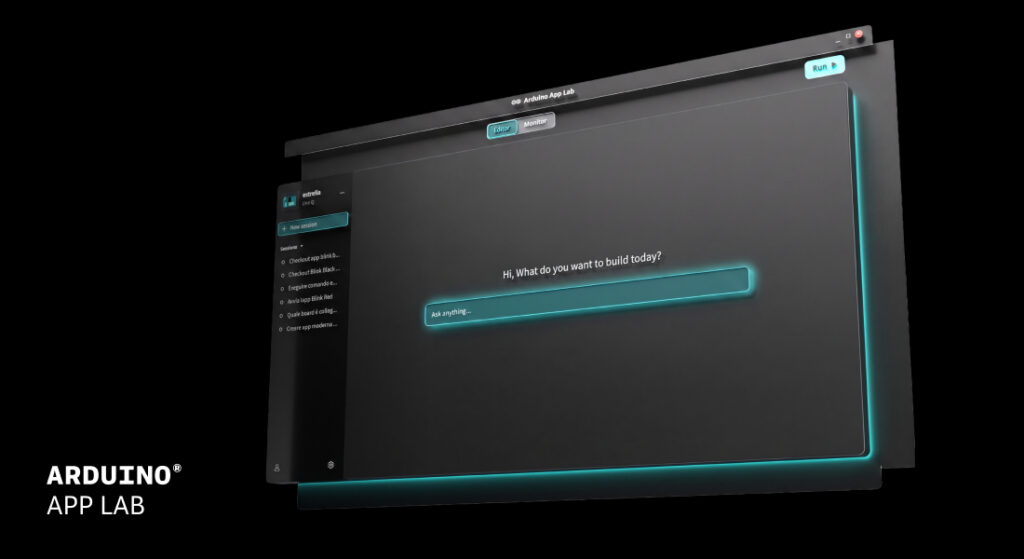
We’re thrilled to announce Arduino App Lab 0.10, our biggest release yet. With this update, you can now build applications alongside an AI agent that actively works on your project, not one that just answers questions about it.
Powered by MCP and integrated with App CLI, Agentic Mode understands your workspace, creates and edits files, runs your app, and interprets errors as they happen. It has deep knowledge of App Lab, Apps, Bricks, and Sketches.
Alongside Agentic Mode, App Lab 0.10 also introduces Language Server support for code completion and navigation, a streamlined way to connect your board to Arduino Cloud and a restructured Examples library. Here’s a breakdown.
The big one: Agentic Mode
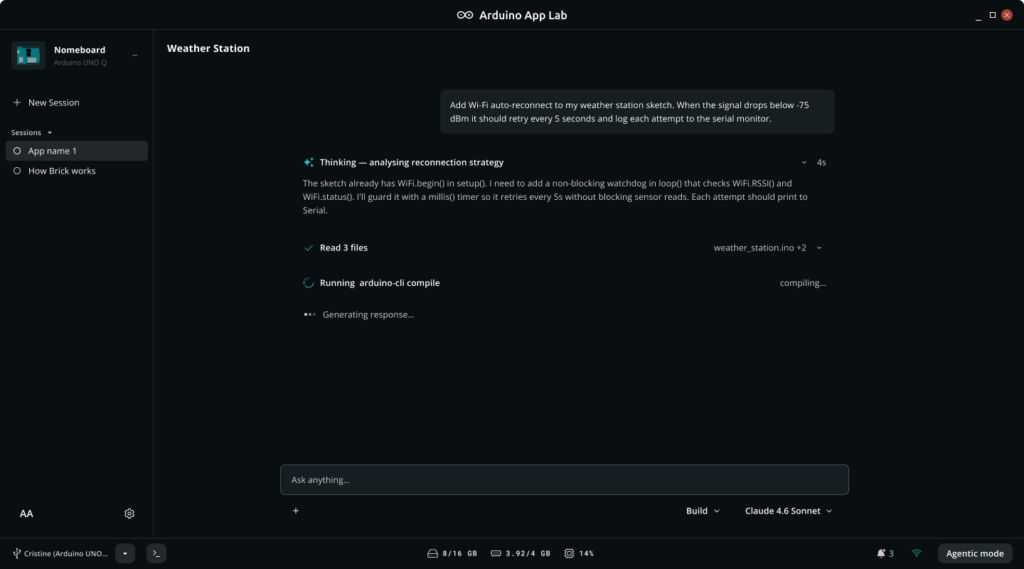
Agentic Mode and session panel in Arduino App Lab 0.10
Open Arduino App Lab and you’ll notice a new button at the bottom of the screen “Agentic Mode.” Through its MCP integration with App CLI, it understands your workspace and actively works on your project.
If you need a reminder, MCP (Model Context Protocol) is an open standard that lets AI models interact with external tools and systems. Rather than just generating text, an MCP-connected agent can invoke tools, read state, and take actions, in this case, through Arduino App CLI.
It’s what allows Agentic Mode to go beyond simple conversation and actually operate on your project.
Agentic Mode can create and edit files, run your App, stop it when needed, and interpret errors as they happen. Ask it to build a feature and you can watch it assemble the project step by step, instead of handing you a wall of code to copy and paste. Watch this demo as an example.
Agentic Mode works on a Bring-Your-Own-Key basis: you authenticate with your AI provider of choice, keeping you in control of your API usage and costs. Claude is supported at first, with more providers coming soon.
Faster code editing with Language Server Support
Arduino App Lab 0.10 integrates a Language Server (not available in SBC Mode on UNO Q) that brings IDE-quality features to your Sketches and scripts: autocomplete, auto-formatting, hover documentation, “go to definition”, and “find all references” work across Arduino sketches, Python, HTML, CSS, and JavaScript.
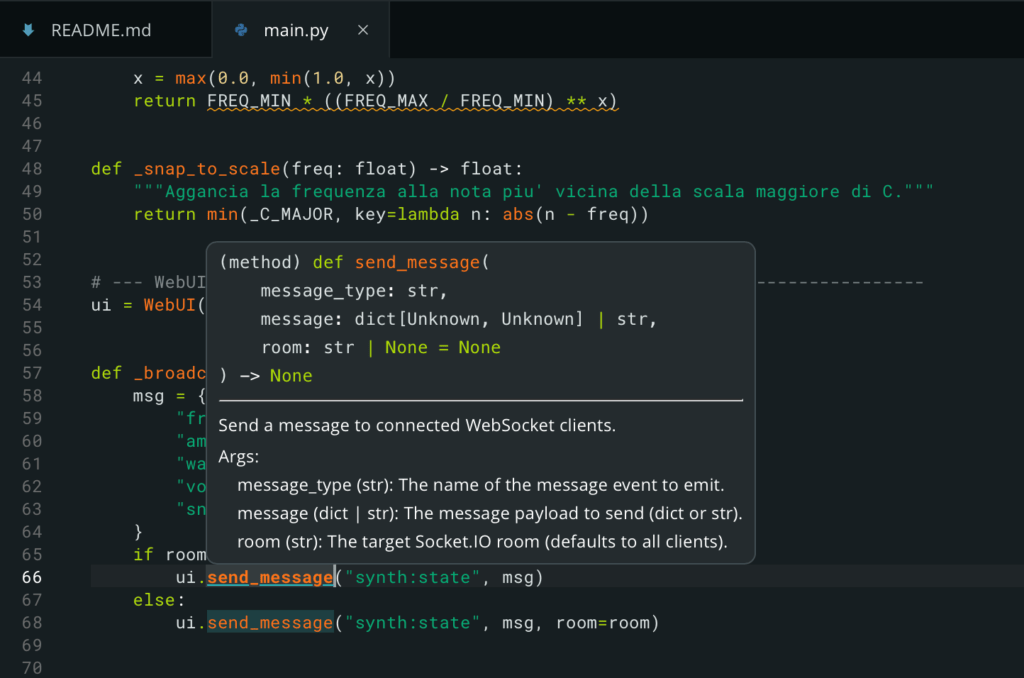
The new Language Server allows Inline code definition
Connect your board to Arduino Cloud, right from Settings
You can now register your Arduino® UNO™ Q board with Arduino Cloud directly from the Settings page, no need to leave Arduino App Lab. Once registered, your board is ready for IoT-enabled Apps.
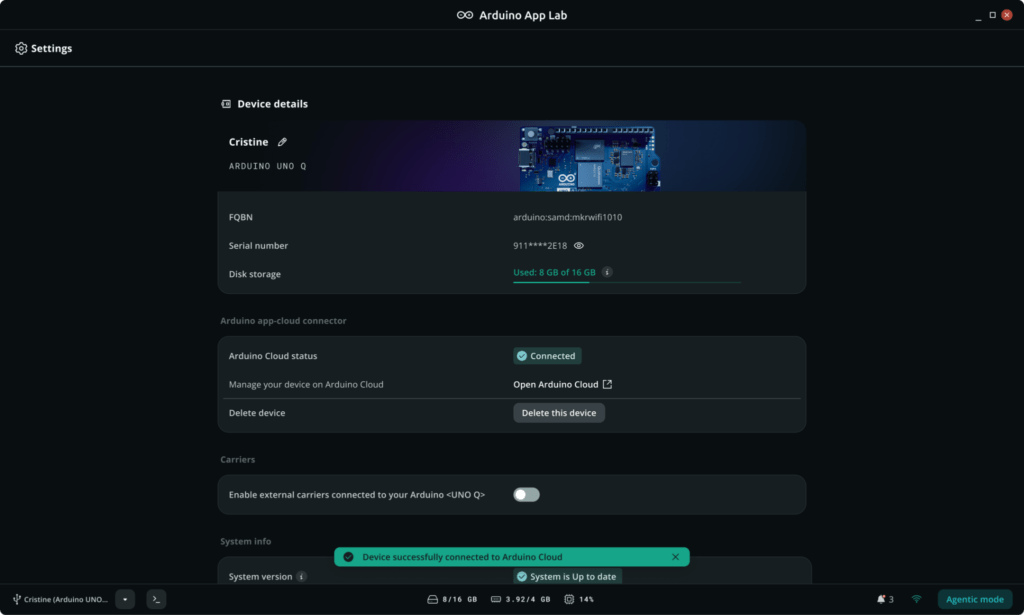
Provision UNO Q for Arduino Cloud directly from the Arduino App Lab’s device settings page.
A clearer path through Examples
The Examples catalog has been restructured into three tiers so you always know where to start and where to go next:
1. Inspirations: more than examples, full blown Applications that showcase what the board can really do.
2. Examples: the fundamentals, taught through focused topics like LEDs, matrices, and the Bridge API.
3. Bricks Examples: small, interactive apps that each focus on a single Brick’s functionalities, so you can see one building block in action at a time.
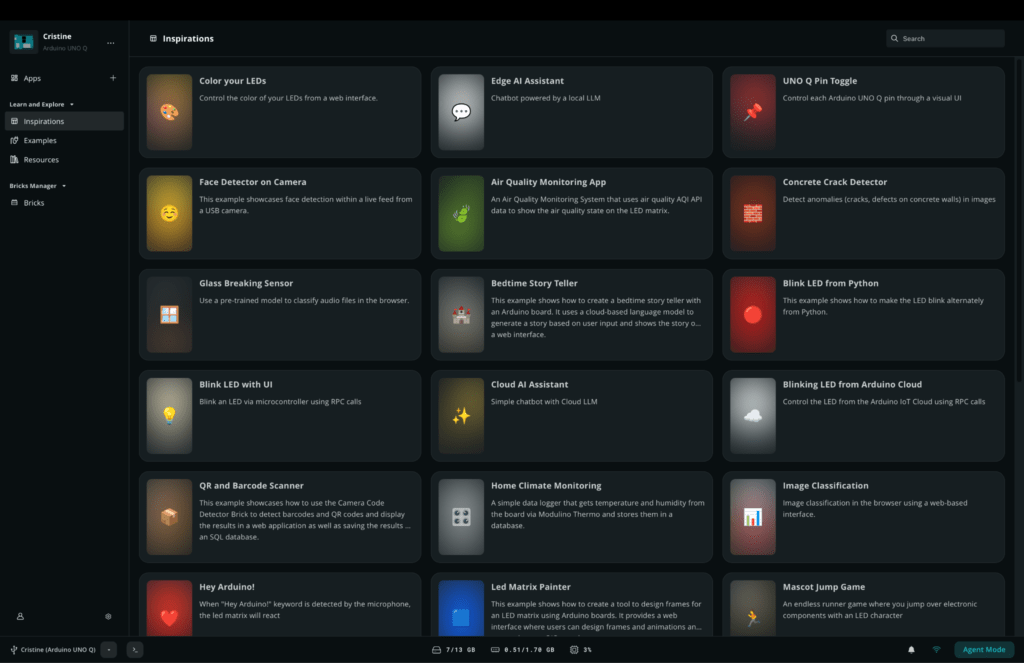
New inspiration page to show the full potential of Arduino UNO Q
Download Arduino App Lab 0.10
Update Arduino App Lab to 0.10.0.
For the full list of changes, see the release notes.
Resource
- Purchase the Arduino UNO Q.
Arduino and UNO are trademarks or registered trademarks of Arduino S.r.l.