Here’s what’s new in Arduino® Cloud: multi-page dashboards, Spaces Overview, and more!
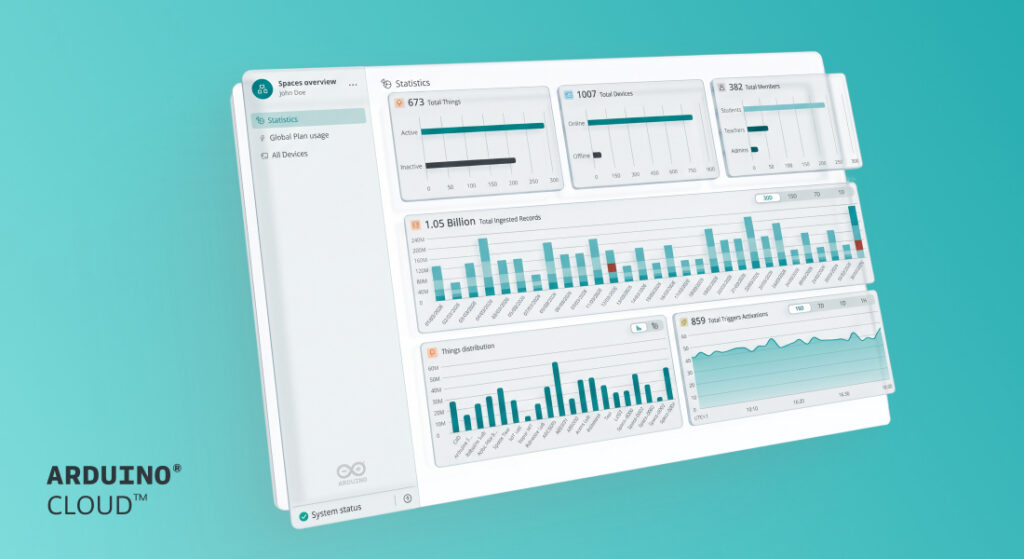
Arduino Cloud has been getting some serious upgrades behind the scenes. Dashboards can now have multiple pages, you can see the health of your whole fleet at a glance, and devices can be locked to your account (or freed up for someone else). Here’s everything that shipped.
Build dashboards with multiple pages
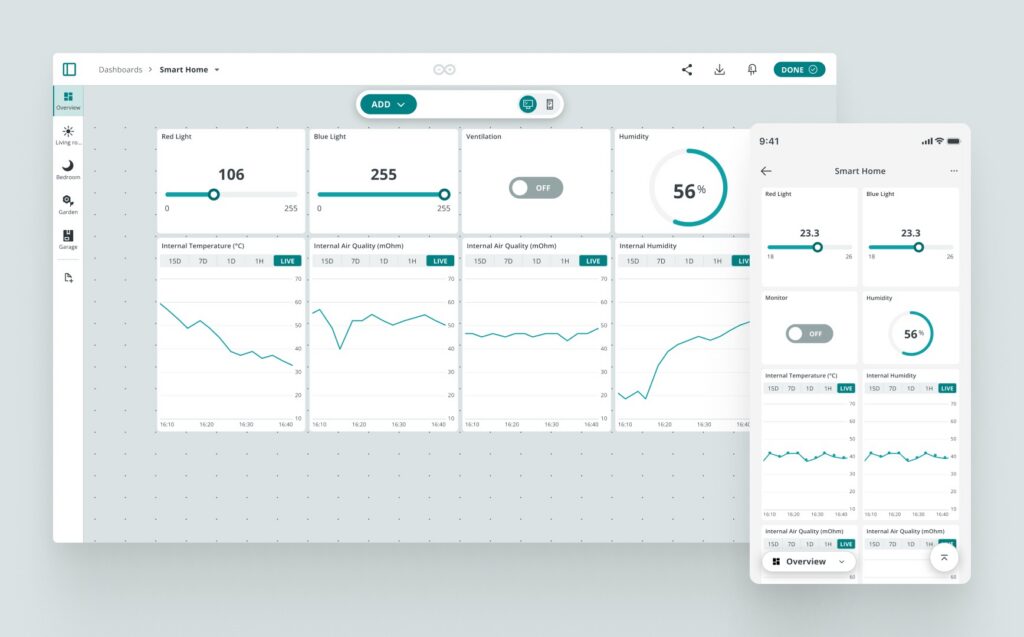
Add new dashboard pages from the left sidebar and give each one its own name, icon, position
If you’ve ever tried to fit a real project onto one dashboard, you know the problem: every widget ends up crammed into the same view, whether it’s your greenhouse sensors or your energy monitor or both at once.
Now you can split it up. When editing a dashboard, add new pages from the left sidebar (web app only, for now) and give each one its own name, icon, and position — group by room, by system, by whatever makes sense. When viewing the dashboard, switch pages from the sidebar on the web or the switch button on the IoT Remote app.
See your whole device fleet at a glance
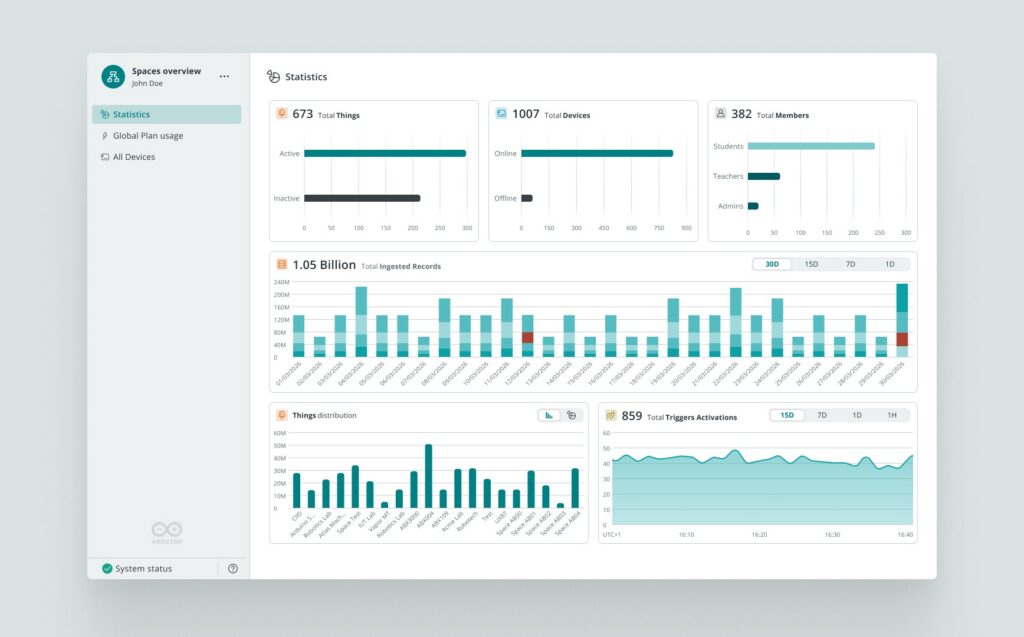
Spaces overview now shows Things, Devices, Members, and Trigger activity at a glance
This is the big one in this release. Before, if you wanted to know something as simple as “how many of my devices are online right now,” you had to dig through the Devices page and count. Now every Space’s home page has a Statistics section with four widgets:
1. Total Things (active vs. inactive)
2. Total Devices (online vs. offline)
3. Total Members (by role)
4. Trigger activations over a time range you can flip between 1 hour and 15 days
If you belong to more than one Space, for example: your personal Space plus an Organization, or a few Organizations at once, you also get Spaces Overview, which consolidates everything in one place: the same Statistics summed across all your Spaces, a Global Plan Usage table showing usage vs. limit for every Space so you know exactly where you’re closest to needing an upgrade, and an All Devices table listing every device you own, wherever it lives, with its status and Space. No more guessing which Space a device belongs to.
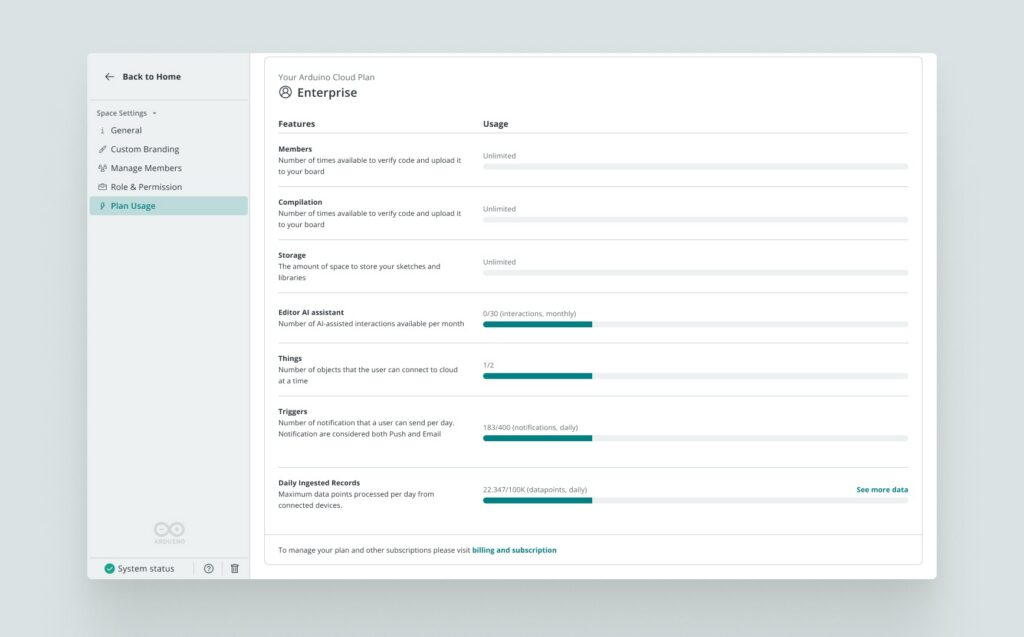
Track daily data usage before it’s a problem
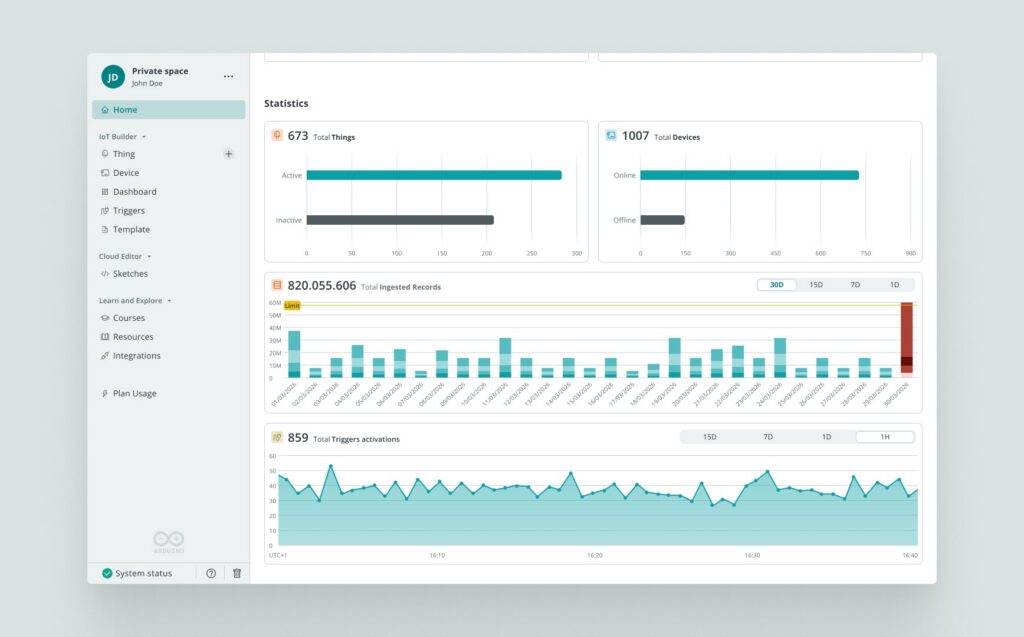
Track daily ingested records against your plan’s limit, broken down by Thing or by Space
Every plan comes with a Daily Ingested Records limit, but until now that number only existed on paper.
That’s changing with a new chart in Statistics, plotting your daily ingested records (over 1D, 7D, 15D, or 30D windows) against a line marking your plan’s limit. Hover any day for the exact count and what percentage of your limit it represents, broken down by Thing in the single-Space view or by Space in Spaces Overview.
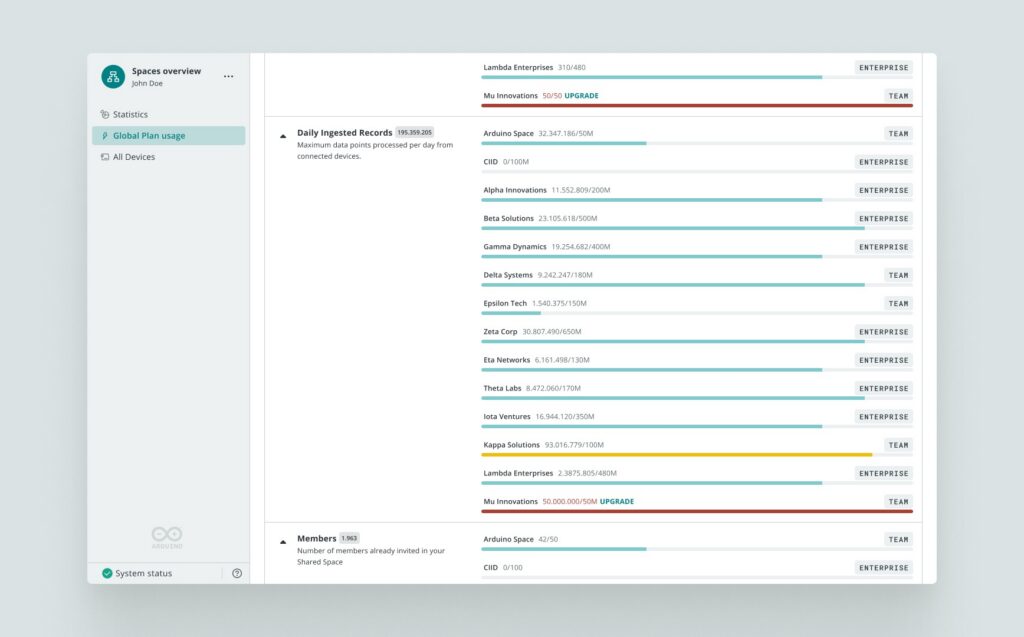
Decide who gets to claim a device next
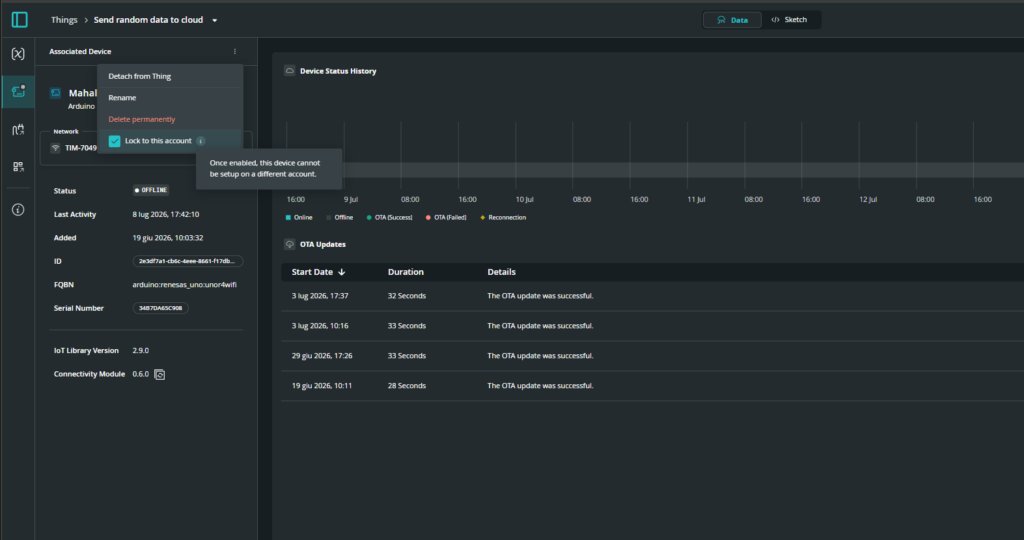
A new toggle on every device’s detail page controls whether it can be claimed by another account
This one solves two opposite problems at once. In classrooms, the same physical board gets passed from student to student, but devices were silently and permanently tied to whoever set them up first — reclaiming one meant deleting it and often filing a support ticket. In business settings, it was the reverse concern: nobody wanted a device to be too easy to reassign, since accidentally claiming a colleague’s hardware is a real risk.
The fix is a new “Lock to this account” toggle on every device’s detail page. Turn it on and the device stays permanently tied to your account; turn it off before deleting it and the next person can claim it under theirs. The default is set automatically — unlocked in Private and Education Spaces, locked in Business Spaces — but you can always override it.
Connect board to Arduino Cloud, right from Arduino App Lab
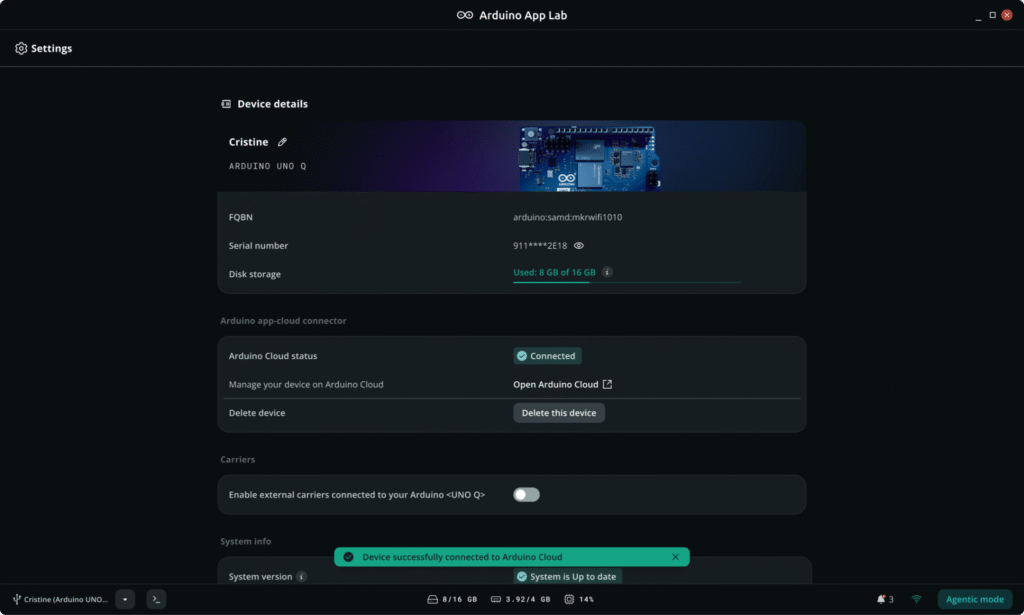
Provision UNO Q for Arduino Cloud directly from the Arduino App Lab’s device settings page
If you’re building on UNO Q, registering with Arduino Cloud used to mean stepping outside Arduino App Lab to do it. Not anymore.
You can now register your UNO Q with Arduino Cloud directly from the Settings page, no need to leave Arduino App Lab. Once registered, your board is ready for IoT-enabled Apps: dashboards, remote control, fleet management, all of it, without breaking your workflow to set it up.
Fleet device management with Smart Folders
In case you missed it, we also shipped Smart Folders earlier this year, letting you organize your device fleet in Arduino Cloud instead of losing track of things as it grows. Check out that post if you haven’t already.
Get started on Arduino Cloud
Everything we just talked about is live in production right now, ready for you to test out! Here’s what we recommend trying first:
- Log in to app.arduino.cc (it’s free)
- Check out the new Statistics section on the home page of a Space you manage
- If you have more than one Space, open Spaces Overview and see your whole footprint in one place
- Building a busy dashboard? Try splitting it into pages
Arduino is a trademark or registered trademark of Arduino S.r.l.