Arduino UNO Q solves the classic resistor pile issue
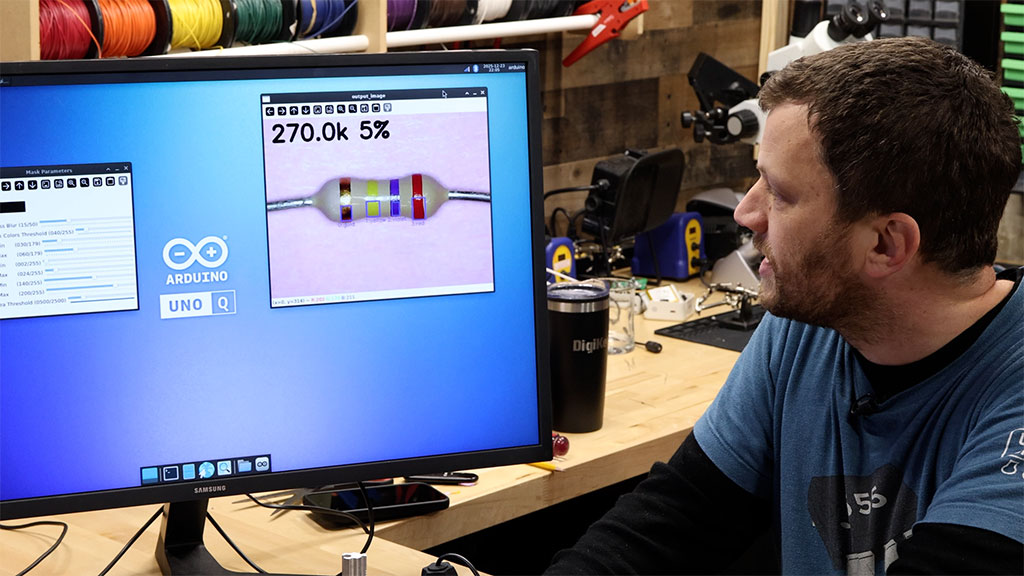
We all end up with a bin full of a random assortment of resistors, right? You grab some resistors from their tidy little packages during a project and then once you’re done with that project, the unused loose resistors go into the bin for future you to sort through. But you never actually sort them, do you? That’s why Zach Hipps turned an Arduino UNO Q into a resistor value-detecting machine for fast sorting.
The idea is really simple: just show a resistor to the camera connected to the UNO Q and it will analyze the color bands to tell you the resistance, so you can put the resistor back with its identical siblings. You could achieve similar results by using a multimeter to measure resistance, but then you won’t know the tolerance spec. Also, this is more fun.
All it takes is an UNO Q, a suitable USB-C hub, and a USB camera — a low-magnification USB microscope works best to get a clear and close-up view of the resistor.

Everything else is just automated image processing through OpenCV. That goes through several stages and describing them is the bulk of what Hipps covers. The idea is to process the image of the resistor until it is easy and reliable to programmatically detect the bands and their colors. That is a little tricky, because some are dark and some are light, with glare potentially confounding the analysis. But the processing and filtering steps ultimately produce clean results. It might seem like a lot of steps, but OpenCV can run through them quickly.
The result is virtually instantaneous identification. In fact, it runs at a fast enough frame rate to partially identify a resistor before it is even fully in frame. So, you can sort your resistors as quickly as you can put them in front of the camera and then into the appropriate container.