Making retail smarter: build context-aware experiences with the Arduino® VENTUNO™ Q board
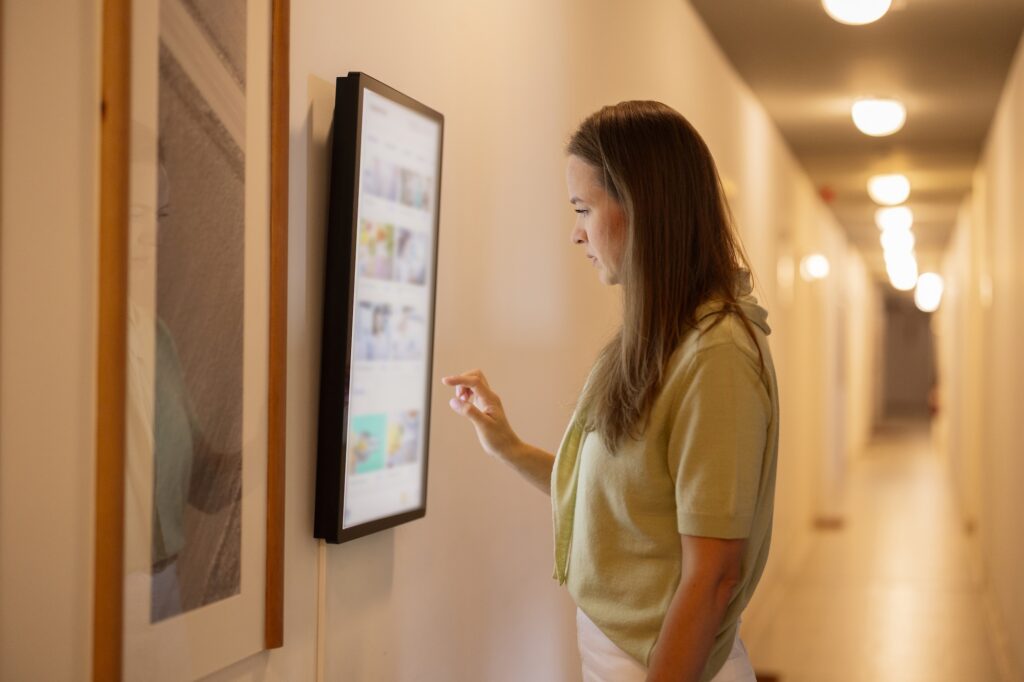
You step into a fitting room carrying two jackets and a pair of trousers. You like each piece, but you are not sure they work together – and which jacket is better. Normally, you would take a photo, message a friend, or walk back outside to ask a store assistant. But imagine if you could simply look into the mirror and tap “Scan your look” instead.
A few seconds later, the mirror recognizes what you are wearing, identifies colors, and suggests how you might complete the outfit. Perhaps with a shirt or an accessory – available in the store – that will tie everything together.
This is the experience behind the Smart Mirror example running on VENTUNO Q. It begins as a personalized style advisor, but it also points towards a new kind of retail experience: one in which physical spaces can understand what customers are doing and offer relevant guidance in real-time.
We recently published a full tutorial on Arduino Docs that you can follow to build your own Smart Mirror with the board. While straightforward to replicate, we think this use case is very interesting both from a technological and an experiential standpoint. Let’s dive in.
A mirror that understands what it sees
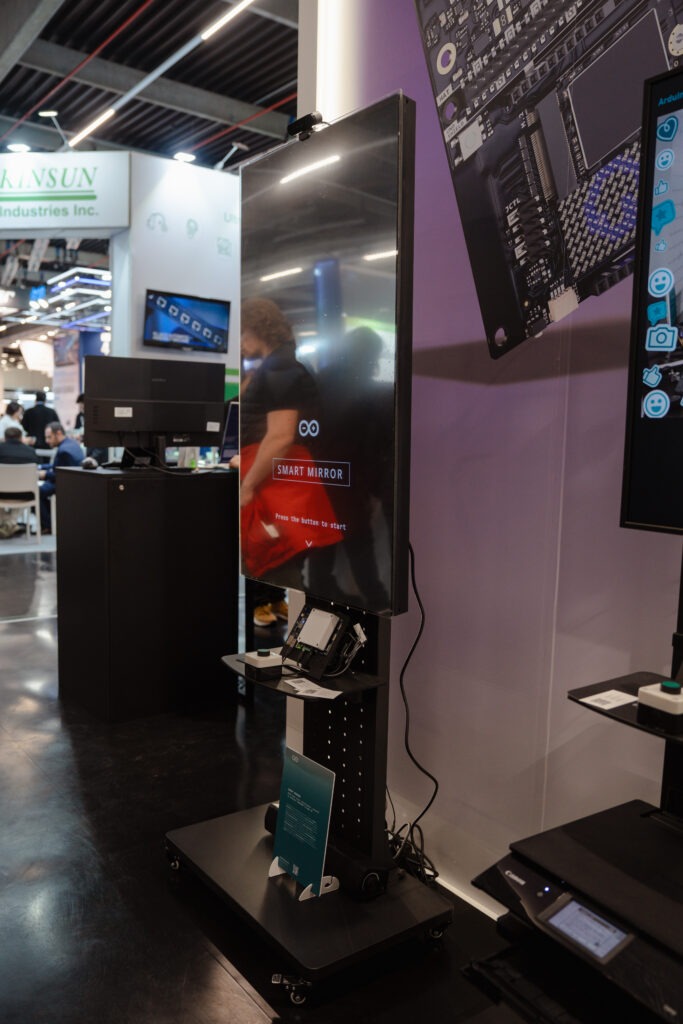
The Smart Mirror application uses a USB camera to provide a live video feed. When you tap “Scan your look”, the latest camera frame is analyzed locally on VENTUNO Q by the Qwen3-VL Model, accessed through the Arduino VLM Brick.
The model is built to analyze the image, identify the most prominent garment and its color, and return two short sentences: a description of the outfit and a related styling suggestion. The result is then displayed directly over the live camera view.
The experience is designed to be intentionally simple: just look in the mirror, start the scan, and receive an immediate recommendation.
Behind that simple interaction, however, several components are working together:
- Continuous camera acquisition
- Local visual AI inference
- Prompt-controlled text generation
- A browser-based user interface
- Real-time communication between the frontend and the application
This combination is what makes the example useful as more than a technical demonstration. It shows how visual AI can become part of a complete user experience.
From demo to retail use case
With a Smart Mirror powered by VENTUNO Q, customers don’t need to go through racks or search through the store’s catalog. Once they find one piece they like, the mirror recognizes the garment and provides an immediate suggestion: “You’re wearing a navy jacket. Try pairing it with light-colored trousers for more contrast.” And that is only the beginning.
Connected to the retailer’s catalog and inventory system, the same application could recommend matching products that are currently available in the store. It could show alternative colors, suggest accessories, display available sizes, or generate a QR code that allows the customer to save the outfit on their phone.
In this scenario, the Smart Mirror is no longer just giving generic fashion advice. It becomes part of the retail experience and connects visual understanding with real business information – providing a concise and relevant response.
Why local AI matters: all privacy, no latency
One of the most important characteristics of the example is that the Vision Language Model is designed to run locally on the board. The camera image does not need to be sent to an external cloud service for inference: the image is processed on VENTUNO Q, and the generated answer is returned directly to the local browser interface.
This matters, especially in camera-based applications. By processing images locally, developers can design experiences in which visual data remains closer to where it is generated, potentially reducing the need to transmit image data to external services and helping protect user privacy.
It also reduces dependency on network latency and external AI services. The application can remain responsive even when the internet connection is slow, unreliable, or unavailable.
Turning AI output into a product experience
In the Smart Mirror example, the prompt is designed to produce a very specific result. The model is asked to identify the main clothing item, detect its color, and provide a short styling suggestion. The application also randomizes the opening phrase and the start of the recommendation to provide variation across repeated scans. For this example, the prompt behavior can be customized through a single prompt.py configuration file.
This is a small detail, but it illustrates an important point. The model in this example is configured with a relatively low temperature and a short token limit, helping it produce concise and predictable responses. In a commercial retail application, the prompt could be expanded with product rules, brand guidelines, seasonal collections, availability data, or customer preferences.
How the application works
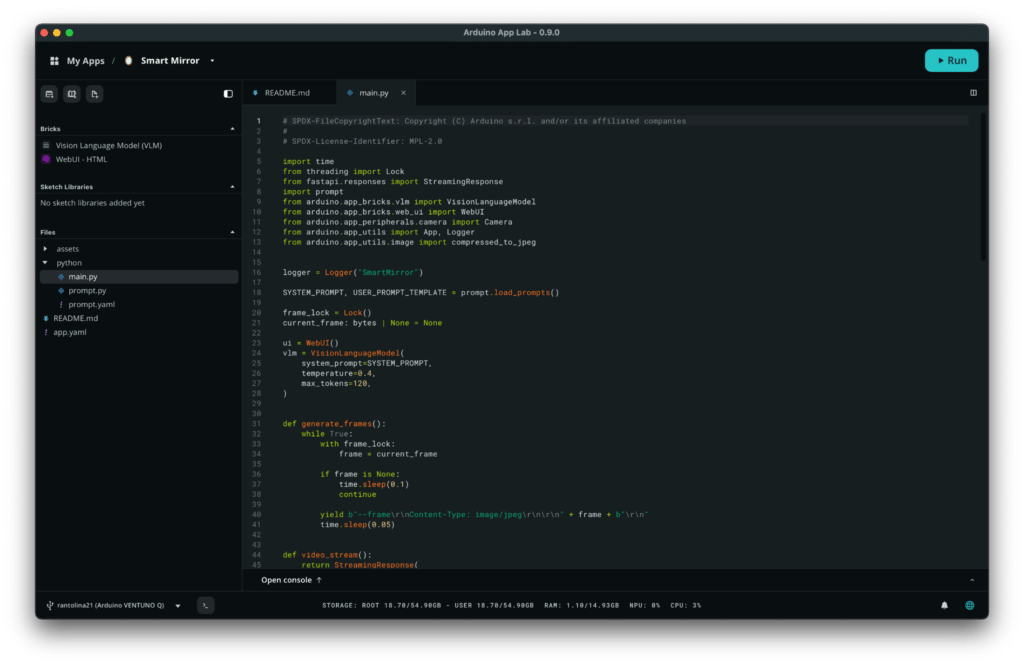
The technical architecture is designed to be streamlned. The camera continuously captures frames, and the latest frame is stored in a shared buffer. The browser displays the live feed through an MJPEG stream exposed by the backend.
The flow could look like this:
Camera image > garment recognition > product matching > personalized recommendation > customer action
The generated result is then sent back to the browser and displayed in the mirror overlay.
In the code, the application uses two App Lab Bricks: the Vision Language Model Brick and the Web Interface Brick.
The camera could be replaced with another image source. The prompt could be adapted to a completely different domain. The web interface could be redesigned for a kiosk, a touchscreen, or an embedded display.
Beyond fashion
The most valuable lesson from the Smart Mirror example is that the architecture is not limited to clothing: the same model can be applied in several domains.
- Assisted dressing: The system could help users identify colors, distinguish garments, or check whether items match. For people with visual impairments, it could describe the clothing they are currently wearing. For the elderly or users who need cognitive support, it could provide simple guidance when choosing an outfit.
- Beauty and personal care: A similar mirror could support makeup tutorials, eyewear selection, hair styling, or skincare routines. The camera would analyze the visible situation, while the prompt and application logic would determine what type of recommendation is appropriate.
- Hospitality: A hotel-room mirror could provide recommendations based on guests’ clothing, the weather, the planned activity, or the dress code of a venue. For example, it could suggest bringing a jacket before an evening event or recommend more comfortable footwear for a walking tour.
- Industrial operator assistance: The same architecture can also move from consumer applications to professional environments. Instead of recognizing a shirt or jacket, the model could identify tools, machine components, labels, or personal protective equipment. An operator could stand in front of a workstation and receive a short visual instruction: “You are not wearing safety goggles. Put them on to protect your eyes before starting the machine.”
Such systems would require careful validation and should not replace certified safety mechanisms. But the Smart Mirror example shows the underlying technical pattern clearly: a camera observes the situation, a model interprets it, and the application provides immediate guidance.
A reusable pattern for Physical AI
Advanced users like Kamitronix have already been experimenting with Smart Mirrors built with the Arduino® UNO™ Q board, providing real-time feedback and information as you check out your look before going out. But while these may appear to be mainly user-interface applications, they also point toward a broader Physical AI workflow. Instead of a text on a screen, the final response could activate a light, control a motor, change a machine setting, notify an operator, or trigger another application.
That is why examples like the Smart Mirror are useful. They make advanced AI capabilities approachable, but they also reveal a reusable architecture for building systems that interact with the real world.
We started with a simple question: What if a mirror could understand what you are wearing? Mapped to a real-world use case, it can become an AI-assisted fitting room that recommends matching products, connects customers with inventory, and improves the in-store journey. More broadly, the same architecture can support assistive technology, hospitality, personal care, and industrial operator guidance.
The most interesting part is the pattern it demonstrates: using local visual AI to transform a passive object into an interface that can understand its context, respond in real-time, and improve people’s experience.
Ready to kickstart your journey in scalable smart interfaces and Physical AI? Get your VENTUNO Q from the Arduino Store today.
VENTUNO Q is also available through our official distribution partners: DigiKey, Farnell, Kubii, Mouser, Robu.in, and RS, along with our other authorized distributors and resellers.
Arduino, UNO, VENTUNO, and the Arduino logo are trademarks or registered trademarks of Arduino S.r.l.