This Stream Deck alternative runs on an Arduino UNO Q
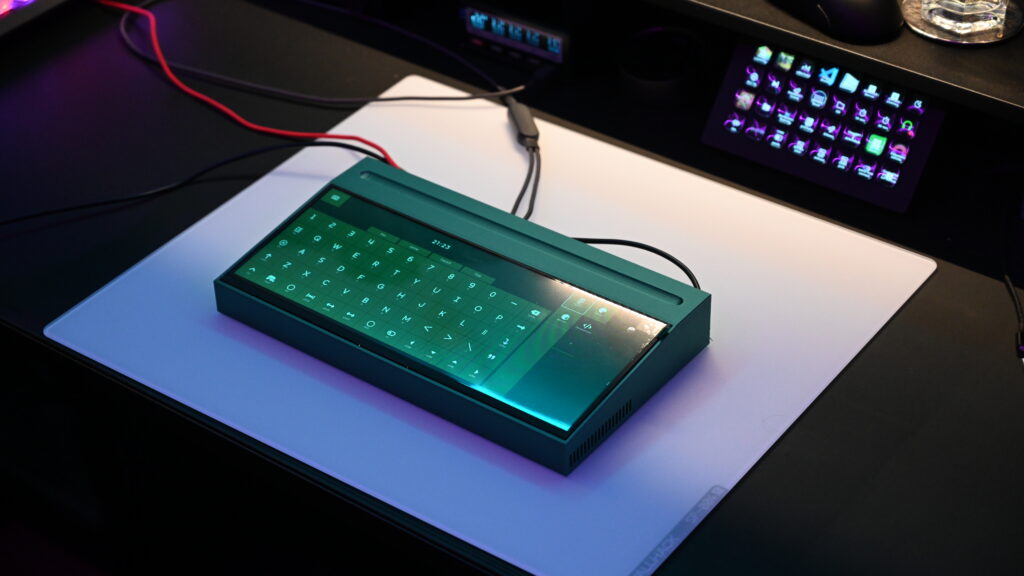
If you do a lot of creative work, you’ve probably found that your computer’s keyboard and mouse alone just don’t cut it. There are simply too many different shortcuts and macros to cover with memorable key combos. That’s why BlommeJan used an Arduino UNO Q to build the Starkpad.
Starkpad is similar to an Elgato Stream Deck. But instead of having a bunch of physical buttons with their own screens, Starkpad has a single touchscreen that displays a configurable set of shortcuts. As a bonus, that touchscreen can also display a virtual keyboard and even a touchpad.
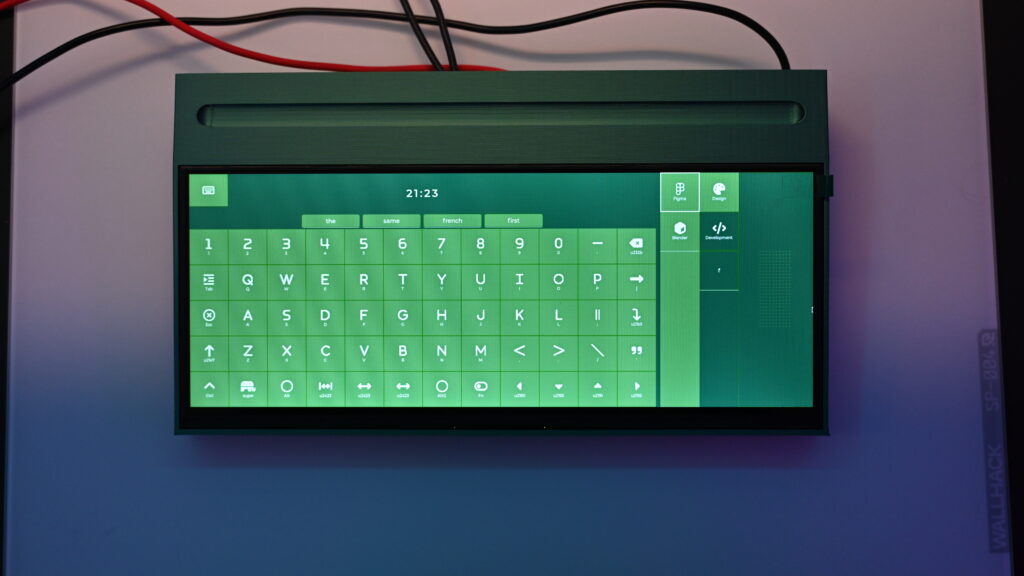
That works smoothly because Starkpad runs on a dedicated Arduino UNO Q, which loads a Tony Stark–inspired user interface built in LVGL on top of the Linux operating system. LVGL is incredibly flexible, so users can customize the interface however they like. But BlommeJan’s UI is a good starting point for most people.
Commands get from the UNO Q to the user’s computer through the onboard microcontroller. That sends commands to an RP2040-based development board, which appears as a standard USB HID to the computer. Because that is a USB HID, it can enter regular key presses that will work on any computer and in any software. Simply assign a key combo, like SHIFT+T+K, to whatever action or macro you want, then tell the RP2040 to press that combo when commanded to do so.
If that appeals to you, all of the code you need for Starkpad is on its GitHub page.